Switching from Cable to Fiber: What You Need to Know
Key Takeaways
- Fiber internet offers faster, more reliable, and symmetrical speeds compared to traditional cable, improving everything from uploads to video calls.
- Unlike cable, fiber maintains performance during peak hours and is less affected by interference or distance.
- Installation typically takes 2–4 hours and includes replacing your cable modem with an optical network terminal (ONT).
- To get the most out of fiber, upgrade your router to support gigabit speeds and WiFi 6 or higher.
- Fiber is ideal for gaming, streaming, video conferencing, and cloud-based work — and may even save you money long-term with better performance and fewer outages.
Making the switch from cable to fiber internet
More and more people are trading in their cable internet for a faster, more reliable option that’s built for the future: fiber optic internet. Unlike cable, which often struggles with slow uploads and crowded networks, fiber internet uses light signals to deliver blazing-fast speeds and consistent performance even during peak hours.
But is switching from cable to fiber worth it? If you’ve been using cable for years, it makes sense to feel hesitant. Maybe you’re worried about installation costs, service interruptions, or whether the upgrade will make a real difference. But here’s the good news: making the switch is easier than you think, and the benefits are often immediate.
In this guide, we’ll walk you through everything you need to know about switching from cable to fiber internet. From understanding why fiber is faster and more stable to preparing for installation and optimizing your new setup, we’ll help you make the most informed decision for your home or business.
Why switch from cable to fiber?
If you’re wondering what sets fiber internet apart from cable, the key difference lies in how they transmit data, which impacts everything from speed and reliability to long-term performance. Understanding these differences can help you see why fiber internet is a more appealing option for so many households and businesses.

How cable and fiber internet actually work
Both cable and fiber internet get you online, but they use very different technologies to do it. Here’s how they differ.
- Cable: Cable internet uses coaxial copper lines — the same kind used for traditional TV service. These lines transmit data using electrical signals, which can slow down when lots of people are online at once, especially in densely populated neighborhoods.
Additionally, cable connections typically offer asymmetrical speeds, which means fast downloads with significantly slower uploads. For example, while you might enjoy download speeds up to 500 megabits per second (Mbps), your upload speeds could be limited to 50 Mbps or less. This upload bottleneck can slow down things like video calls, cloud backups, and file uploads, especially if multiple people in your household are online.
- Fiber: Fiber optic internet uses thin strands of glass or plastic to transmit data as pulses of light. This allows for faster, symmetrical speeds, lower latency and a stronger, more consistent connection, even during peak usage hours or bad weather. Because light can travel without interference from electrical noise or distance, fiber provides a more stable connection for modern internet needs.
Fiber’s symmetrical speeds make a big difference
One of fiber’s biggest advantages is symmetrical upload and download speeds. With cable, you might be able to download a file quickly, but it’ll take much longer to upload one, since the upload speeds you get with cable internet are often a fraction of your download speeds.
Fiber optic internet improves this experience by delivering equal speeds both ways, whether you’re joining a video meeting or sending high-res files to the cloud.
Here are just a few of the online activities that benefit from symmetrical speeds:
- Video conferencing (such as Zoom, Microsoft Teams or FaceTime calls)
- Backing up photos, videos, music or other files to the cloud
- Live security camera footage
- Uploading large files (like sending photos in group chats or posting videos to TikTok)
- Competitive online gaming
- Content creation or cloud-based projects
- Live streaming (for example, streaming to Twitch or going live on TikTok)
Fiber is built for maximum reliability
Unlike cable, fiber isn’t affected by signal interference from nearby devices. It doesn’t slow down when your neighbors are online, and it doesn’t degrade over long distances. It also stands up better to bad weather. Because it doesn’t rely on electrical signals, fiber isn’t affected by lightning, temperature changes, or electromagnetic interference, which means fewer outages and fewer frustrating slowdowns.
If you’ve ever had your internet grind to a halt when too many neighbors were online, a dedicated fiber connection will make a noticeable difference. With fiber, your speeds stay consistent, even when everyone on your street is streaming, working or gaming at the same time.
Understanding the installation when switching from cable to fiber
Switching to fiber doesn’t just mean faster speeds — it also involves a different type of equipment and setup than what cable internet uses. While the installation process is usually simple, it helps to know what to expect before scheduling an appointment.
Check to see if fiber is available in your area
Unfortunately, fiber isn’t available everywhere yet, especially in more rural or remote areas, but that’s changing fast. According to the Fiber Broadband Association, more than 88.1 million U.S. homes had access to fiber infrastructure as of 2024, which means service could be made available with installation, even if it hasn’t been activated yet.
The first step to switching from cable to fiber is to confirm that fiber service is available at your address. Most internet providers have an availability checker on their website where you can enter your zip code or street address. If you’re not sure which providers offer fiber in your area, sites like BroadbandNow can show you a list of options based on your location.
What happens during a fiber installation appointment?
Once you’ve confirmed availability, chosen a plan and signed up for service, your internet service provider (ISP) will work with you to schedule a time for installation.
Here’s what you can expect when your technician arrives for your installation appointment:
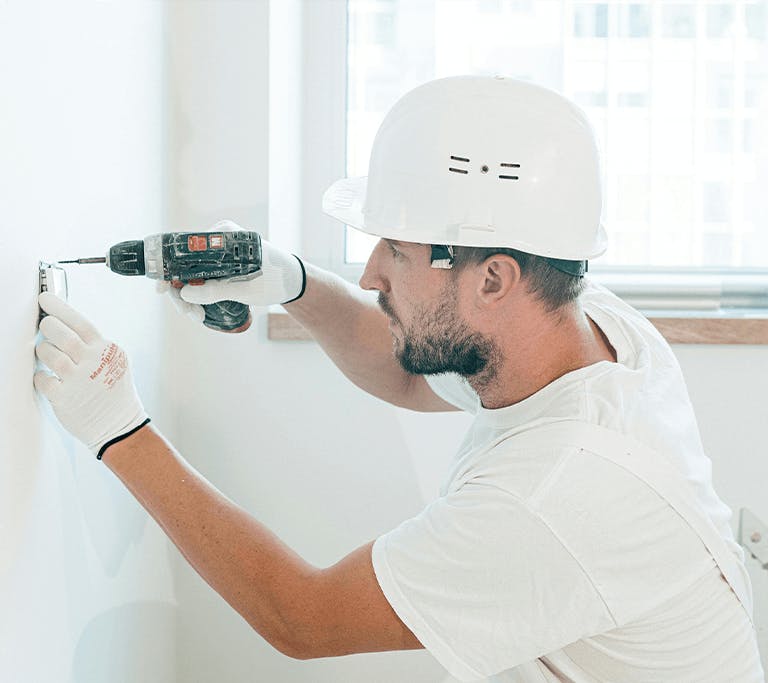
- Your home will be connected to a fiber line. If your home isn’t already connected to a fiber line, your technician will run a new fiber optic cable from the nearest utility pole (or underground hub) to your property. They may need to access a utility easement or drill a small hole through an exterior wall.
- Your old cable modem will be swapped for an optical network terminal (ONT). An ONT is a small device that converts the light signals from the fiber line into usable internet data, replacing your old cable modem. Depending on your provider, your technician will either attach your ONT to an exterior wall or install it inside your home.
- Your technician will set up your router. Once the ONT is in place, it connects to your router, which creates your WiFi network. Some ISPs provide a router as part of your installation, while others may let you use your own — just make sure it’s compatible with fiber-fast speeds.
- Your internet will be tested for speed and reliability. After your network is set up and online, your technician will run a few speed tests to make sure you’re getting the speeds you’re paying for. Then they’ll answer your questions before wrapping up.
How long does a fiber installation take?
Most fiber installations last two to four hours, depending on how your home is wired and whether a fiber line already exists on your property. If new cables need to be laid underground or additional construction is required, it could take a few days to a week, but your ISP will let you know ahead of time.
🧑💻 Tech Tip: Ask your installer if they’ll run the fiber line directly to your router’s ideal location (not just the nearest wall) for maximum WiFi coverage. Many will accommodate requests like this during installation if it’s feasible.
How to prepare for the switch from cable to fiber internet
Once you’ve decided to upgrade to fiber, a little planning can go a long way toward making the transition smooth and hassle-free. Here are a few things to check before installation day.
✅ Compare fiber plans and providers
Not all fiber internet plans are the same. Some offer blazing-fast gigabit speeds, while others focus on affordability with lower speed tiers, both of which may be more than enough for the average household.

Before signing up, take a moment to compare the following:
- Download and upload speeds
- Monthly pricing
- Installation fees (some ISPs offer free installation or waive fees during promotions)
- Introductory discounts
- Contract length or early termination fees
- Bundled services, like phone, TV, or smart home support
🧑💻 Tech Tip: If you’re in a competitive service area, you may be able to negotiate better terms by asking your ISP to match a competitor’s offer.
✅ Avoid downtime during the wait
To keep things running smoothly, don’t cancel your cable internet just yet. Instead, keep your existing service active until your fiber installation is complete and tested. That way, you’ll still have internet access if any delays or issues arise during the switchover.
Once your fiber connection is up and running, you can confirm performance and cancel your old plan without worrying about downtime in between.
✅ Give your router a checkup, and upgrade if needed
To get the most out of fiber internet, your equipment needs to keep up. Older routers, especially those that only support WiFi 4 or WiFi 5 (rather than WiFi 6), may become outdated and slow down your connection.
Follow these steps to prepare for your installation:
- Ask your ISP if they provide a router as part of your plan.
- If you’re using your own equipment, make sure your router supports gigabit speeds and the latest WiFi standards (at least WiFi 6).
- For larger homes or multi-device households, consider a mesh WiFi system to help distribute a strong, consistent signal throughout your space.
🧑💻 Tech Tip: Check the model number on the bottom of your router and look it up online to see if it supports your new fiber speed. If not, upgrading could make a noticeable difference.
What to Expect After Switching from Cable to Fiber Internet
Once your fiber connection is installed and up and running, there are a few steps you can take to make sure everything is working as expected, and to enjoy the full speed and stability that fiber has to offer.
- Run a speed test on your new fiber internet
Start by checking your new connection speed. Free tools like Speedtest.net or Fast.com let you measure your download and upload speeds in just a few seconds. Run a test from both a wired device (like a desktop connected with an Ethernet cable) and a WiFi device (like your phone or laptop) to see how performance compares across your network.

This is the best way to confirm you’re getting the speeds you signed up for, especially if you upgraded from cable and are expecting faster uploads or better overall responsiveness.
- Optimize your WiFi for fiber speeds
Fiber internet delivers impressive speed, but your WiFi setup plays a big role in how that speed reaches your devices. Here are a few quick tips to help your network perform at its best:
- Place your router in a central, open location. Avoid closets, cabinets or corners, since your signal travels best through open space.
- Keep your router off the floor and away from large metal objects, mirrors, or appliances. These can block or weaken your signal.
- Use Ethernet for high-priority devices. Devices like gaming consoles or work desktops will get the fastest, most stable speeds when connected directly with an Ethernet cable.
- Consider a mesh system. If your home has dead zones or WiFi drop-offs in certain rooms, a mesh WiFi system can extend coverage and provide consistent speeds across your entire space.
🧑💻 Tech Tip: If your fiber connection feels slower than expected, try rebooting your router or checking for firmware updates. If you’re still seeing inconsistent speeds, contact your ISP — they may be able to optimize your signal or help identify potential bottlenecks.
- Enjoy the benefits of fiber internet
Now that you’re connected to fiber optic internet, you’ll likely notice the difference right away, especially if you’re used to cable. Here’s what to look forward to:
- Smoother 4K streaming. That means shorter load times and less buffering, even when multiple household members are watching on their devices at once.
- Faster cloud backups and uploads. This makes a world of difference for people who work with thousands of files that take up lots of space, like photographers, content creators, video editors, and remote workers.
- Lag-free, seamless gaming. You’ll experience instant response times, lower ping, faster load times, and a more stable, reliable connection. Your games will also download and update much faster.
- Life-like video calls. Whether you’re attending a virtual meeting or talking to a friend from afar, you won’t have to endure awkward delays or robotic voices any longer. Instead, you’ll notice clearer audio, smoother video, and fewer dropped connections.
- Room to grow. Fiber optic internet is so fast, it’s practically future-proof. And if you ever find that you need more speed, upgrading your fiber optic internet plan is often as easy as clicking a few buttons on an order form.
With the right setup, fiber internet gives you a faster, more reliable connection that’s built to keep up, no matter how many devices you use or how your household grows.
Common concerns about switching from cable to fiber internet
If you’re still on the fence about switching, you’re not alone. Many people have questions about the cost, equipment, or how long the installation will take.
Let’s clear up a few of the most common concerns:
Is fiber more expensive than cable internet?
Not necessarily. While some fiber plans may have a slightly higher monthly cost or one-time installation fee, many ISPs price their fiber packages competitively, and some offer lower prices than traditional cable providers.

Over time, fiber often delivers more value because you get faster speeds, better reliability, and fewer slowdowns that could interrupt work or streaming.
To get the most value for your money, look for plans with:
- No data caps — that way, you don’t have to track or limit your internet use.
- No throttling — avoid providers who change your speeds based on what you’re doing online.
- Free installation — try to find a provider that doesn’t charge installation fees.
- Sign-up promotions — you may be able to save on the first few months of service or bundle with TV service.
- Lower equipment fees — cable providers often charge hefty fees for modem rentals.
Will I need new equipment?
Yes, but it’s usually included with your service. Fiber internet requires an ONT, which acts like a modem but is designed for light-based signals. Your ISP will install the ONT and may also provide a router, but you can often use your own if it supports fiber-level speeds.
If you choose to bring your own router, make sure it does the following:
- Supports gigabit (1,000 Mbps) speeds or higher
- Uses at least WiFi 6 (802.11ax) for the best wireless performance
- Can handle multiple connected devices if you have a smart home setup or large household
How long does fiber installation take?
Most fiber installations take about 2 to 4 hours, but this depends on your home’s layout and whether a fiber line already exists on your property. If new fiber cables need to be run, especially underground, it could take anywhere from a few days to a week.
Your ISP should provide an installation timeline and let you know if any prep work is required.
🧑💻 Tech Tip: Ask your provider if they offer self-install kits for homes that are already fiber ready. It could save you time and get you online even faster.
FAQ: Switching from cable to fiber internet
Still have questions about making the switch? You’re not alone. Here are answers to some of the most common questions people ask when upgrading to fiber internet.
- Do I need to cancel my cable internet before installing fiber?
No, and it’s better if you don’t. Keep your cable internet active until your fiber installation is complete and tested. This way, you’ll still have a working connection in case there are any delays or setup issues. Once you’ve confirmed everything’s running smoothly on fiber, you can cancel your old service without interruption.

1. Can I keep my Wi-Fi network name and settings?
Yes! If you want all your devices to reconnect automatically after switching, just set your new router’s WiFi name (SSID) and password to match your old network. Your phones, laptops, smart TVs, and other connected devices should join the new network without skipping a beat.
2. Is fiber better for gaming and video calls?
Absolutely, yes. Fiber’s symmetrical speeds and low latency make it ideal for activities that need fast, stable connections in both directions. That includes:
- Online gaming (with fewer lag spikes)
- Video calls and virtual meetings
- Live streaming
- Real-time collaboration in cloud-based apps
You’ll see fewer dropped calls, faster uploads, and smoother performance all around.
3. Does fiber internet require a phone line?
No. Fiber internet is fully digital and doesn’t rely on a phone line or coaxial cable. Your internet signal comes through a dedicated fiber optic line, which is separate from your landline or cable TV service.
4. How can I check if fiber is available in my area?
Use your ISP’s fiber availability tool. Most providers let you search by zip code or street address on their website. You can also visit a site like BroadbandNow to compare fiber coverage and providers near you.
If fiber isn’t available yet in your neighborhood, many ISPs will let you sign up for updates or express interest to help bring service to your area faster.
Embracing the Future with Fiber Internet
Switching from cable to fiber isn’t just an upgrade — it’s a step toward a faster, more reliable online experience for a whole household of devices. With symmetrical speeds, stronger performance, and fewer slowdowns during peak hours, fiber internet is built to support the way we live, work, stream, and connect.
Whether you’re tired of buffering, dealing with laggy video calls, or just want internet that keeps up with your household, fiber offers a noticeable improvement over traditional cable. It’s not only faster and more stable — it can also save you money over time with better efficiency, fewer outages, and competitive pricing from many providers.

Ready to take the next step? First, check to see if fiber is available in your area using your local ISP’s availability tool or a service like BroadbandNow. Then compare fiber plans based on speed, price, and any current offers.
Once you’ve ordered your new service, schedule an installation to get your home or business future-ready.
Don’t settle for yesterday’s internet. Upgrade to fiber and enjoy the speed, stability, and performance that today’s digital world demands.
If you’re an EPB customer or live in the Chattanooga area, you can get connected to the World’s Fastest Community-Wide Internet with symmetrical, fiber-fast speeds starting at 300 Mbps up to 25 Gigs. Find your perfect speed.